
Loading preview...

Start a project
Reach out to us for any inquiries or support.

Contact
We’re here to help you with all your needs.

Call Us
Get in touch with our team anytime.
How We Help
Why Venveo
Resources
Get weekly data — and insights.


Venveo is an award-winning digital marketing solutions provider. Since 2003.
©2026 Venveo

When a framing sub runs short on ties mid-morning, an electrician needs 50 feet of conduit before an afternoon inspection or a homeowner deals with a burst pipe under the sink, they all do the same thing: pull out a phone, open Google Maps and search for the closest store or emergency crew.
If your company isn't pinned on that map, they are heading straight to the competitor five minutes away. Learning how to put your business on Google Maps using a free Google Business Profile is one of the highest-leverage marketing moves you can make for your building company.
From claiming your territory to dialing in your trade categories and passing verification, this guide walks you through every step to get on the map and start winning local bids.
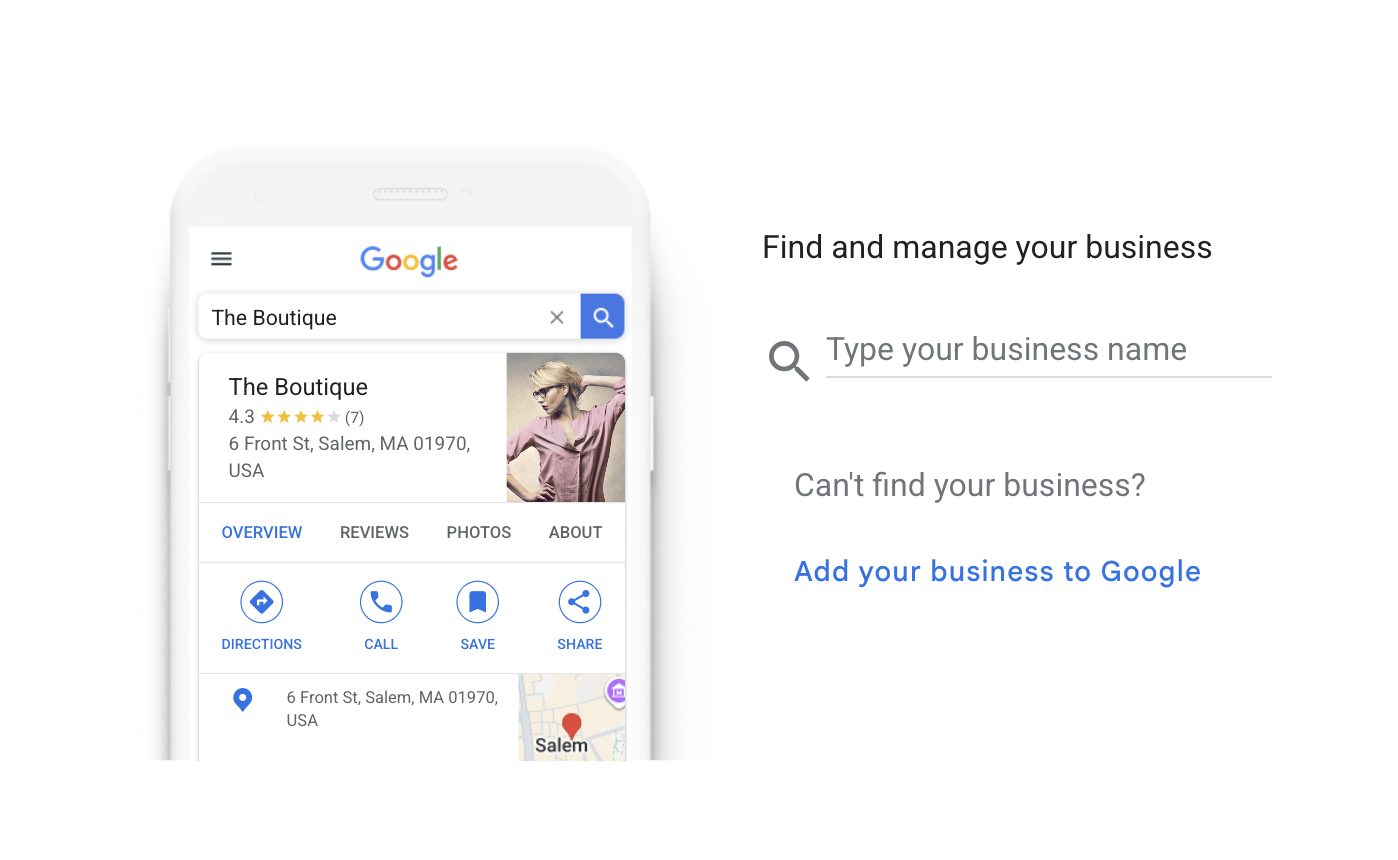
Your Google Business Profile serves as your company's digital storefront across Google Maps and local search. Think of it as a live spec sheet that tells prospects where your crew operates, what materials or trades you supply and why you’re qualified for the job.
Before diving into setup, understanding the rules of engagement saves headaches later. You can't pay Google for a higher organic ranking in map results. Instead, Google’s local algorithm evaluates three specific signals: relevance, distance and prominence.
While you can't physically haul your lumberyard or shop closer to every job site, you can feed Google complete, verified details that prove your operation is active, reputable and ready for work.
Your first move is confirming whether your business already exists in the system:
Whether you are building a new profile or taking control of an auto-generated pin, gather these assets first so you can complete the setup without stopping:
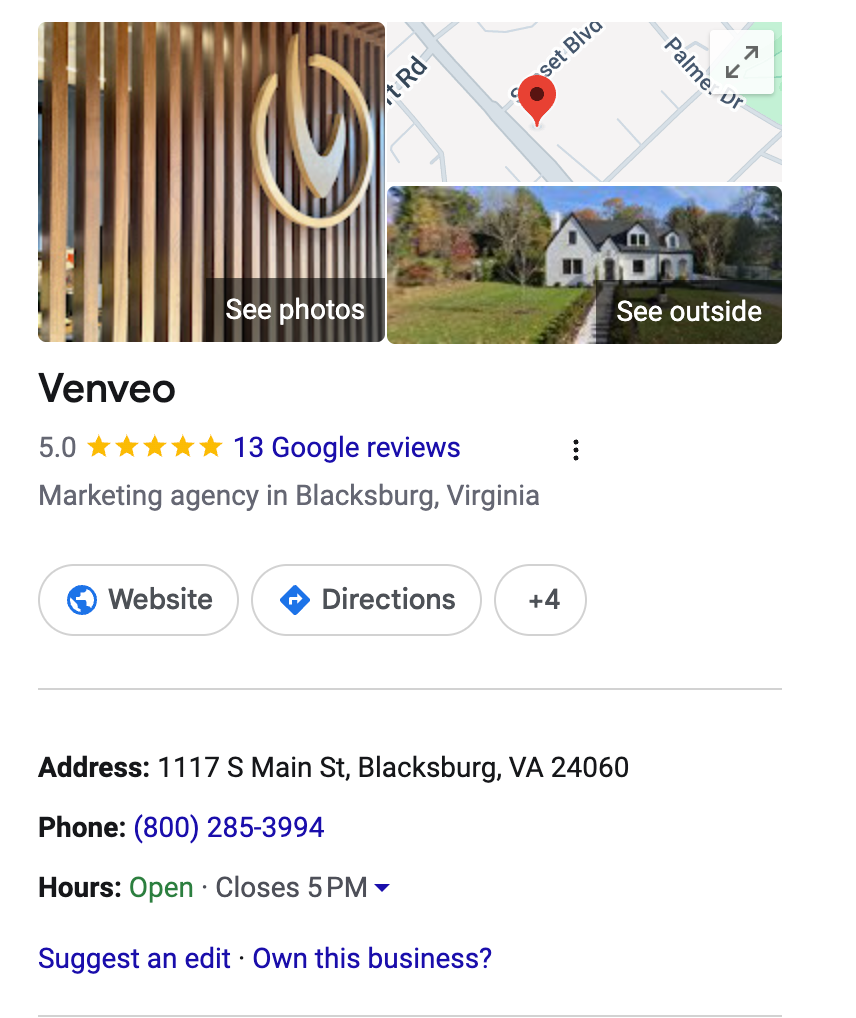
Once your documentation is ready, sign in and follow these steps:
Type your legal business name exactly as it appears on your trucks and paperwork. Then select your primary category (such as Building Materials Store, Plumbing Supply Store or General Contractor). This is the master switch that tells Google what searches should trigger your pin.
Google will ask: “Do you want to add a location customers can visit?”
For walk-in locations (showrooms, yards, supply stores), select yes. Enter your physical address and drag the map pin to ensure it points to your customer entrance or front parking lot rather than a side alley or delivery bay.
Note: To display a physical address, you must have permanent, exterior business signage and staff present during stated hours.
For job site-only trades (roofers, electricians, excavators), select no. Specify the cities, counties or zip codes where your crews pull permits and work.
Add your primary phone number and website link. Confirm that your business name, address and phone number match the footer on your website and your trade licensing records letter-for-letter to maintain local SEO consistency.
Google assigns your verification method automatically based on your trade category and risk profile, you cannot choose the option yourself. For trades and contractors, Google almost always requires:
Submit your verification code or upload your video. Once submitted, do not edit your business name, address or primary category while verification is pending. Modifying core fields mid-review voids the submission and forces you to restart the process.
Google strictly polices local listings to eliminate phantom addresses and lead-generation middlemen. Your business must interact with customers in person — purely online brokerages and directory sites without local field crews or retail facilities are ineligible.
Never use P.O. Boxes, rented mail drops or virtual offices to fake a presence in neighboring towns. If you run your operation from a home office while working on customer sites, you must register as a Service Area Business and hide your residential street address.
Finally, ignore cold-callers claiming your pin will expire unless you pay a fee. Google Business Profiles are 100% free.
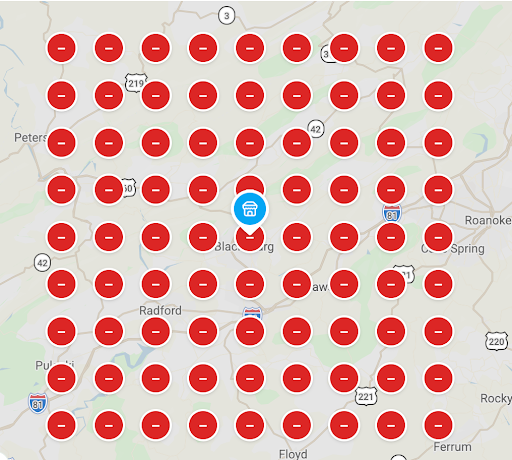
While getting verified puts your company on Google Maps, a strong profile convinces viewers to reach out to you instead of the competition. Here are some of the most effective ways to optimize your listing and win the job:
Skip polished stock photography. Upload sharp, well-lit photos of completed builds, framed structures, architectural details and your fleet on site. Clear exterior photos also help delivery drivers and sub-trades spot your yard or storefront quickly.
Before signing off on final project punch lists, ask project owners, general contractors or homeowners to leave an honest review. Always respond to reviews — thanking clients for positive feedback and addressing unexpected job site hiccups with calm professionalism shows prospective clients you stand behind your work.
Use Google Business posts like a job site bulletin. Share milestone project completions, announce seasonal material availability or highlight newly earned industry certifications (like OSHA compliance or LEED accreditation).
Don't leave customers guessing. List individual services — such as rough-in framing, commercial flat roofing or custom millwork — along with clear descriptions so you show up for niche, high-intent local searches.
Check your profile insights each month to see how prospective customers interact with your listing.
Your dashboard tracks how many people discover your company through broad trade searches versus direct brand lookups, how many request driving directions and how many call your office straight from the map. Use these insights to refine your service list and see which offerings drive the most calls.
Knowing how to put your business on Google Maps gives your construction, trade or building materials company a dependable competitive edge. Claim your profile, confirm your trade details, get verified and keep your profile updated with recent project work to earn high-value local contracts.
Take five minutes right now to search your trade name on Google Maps to see where you stand. Whether you are claiming your very first pin or looking to outrank aggressive competitors across the market, Venveo is here to help your brand win online.
Connect with our construction marketing specialists to get started.